POS for Mexican restaurants and taquerias
Published by KwickPOS, a restaurant POS company. We include KwickPOS in comparisons and say so when we do. How we handle this.
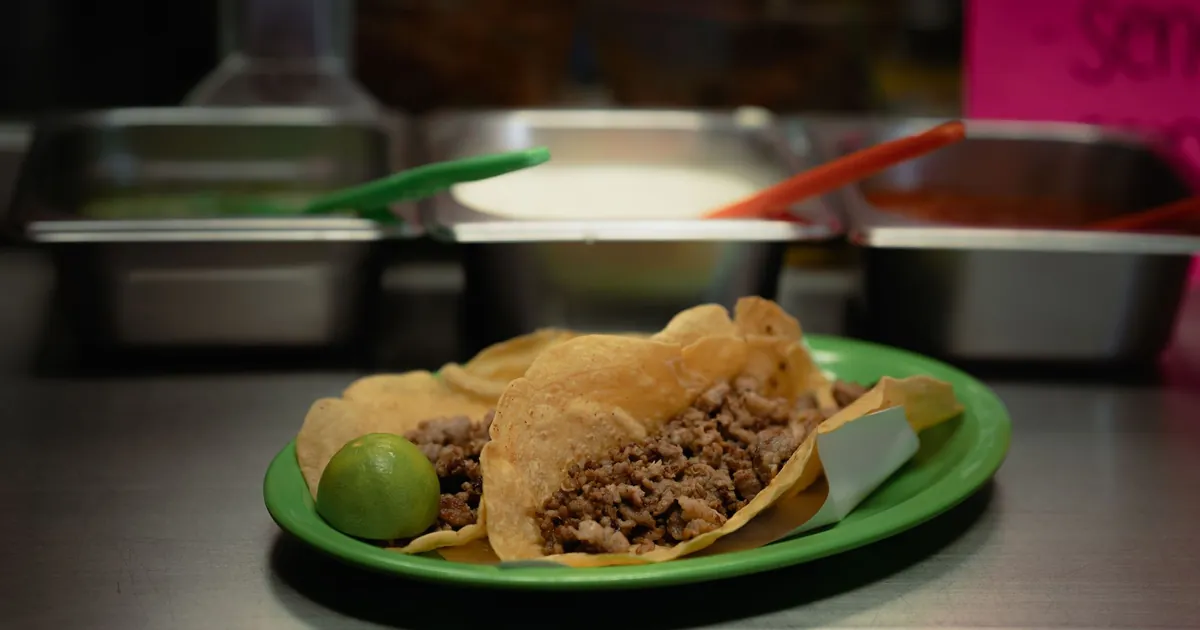
A Mexican restaurant needs a POS that handles one-price items with many choices (protein, tortilla, salsa), combination plates that deduct the right ingredients, kitchen screens or tickets in Spanish while the counter works in English, and fast counter service at lunch. If you run a bar, happy hour, or catering, add time-based pricing and deposits to the list.
A taqueria selling street tacos at the counter and a full-service cantina with a margarita bar look very different, but they share the same few hard problems: many choices inside one price, a small set of ingredients used across dozens of dishes, and a team that often works in two languages. This guide covers each of those, what a POS should do about it, and what to test in a demo.
One price, many choices
A taco can be carne asada, al pastor, pollo, carnitas, barbacoa or pescado, on corn or flour, with or without cheese, with any mix of onion, cilantro, salsa and lime. The guest usually pays one price. The kitchen and your inventory still need to know exactly what was made.
- Required choices that appear right away. After the cashier taps "taco", the protein and tortilla choices should appear on the same screen, not two menus deep.
- Defaults. Set the most common protein and tortilla as the default so staff only change it for exceptions.
- Paid and free modifiers kept apart. Extra guacamole or queso adds a charge; "no onion" doesn't. Both must print clearly in the kitchen.
- Repeat order. For regulars who order the same thing every day, a one-tap repeat saves time at the counter.
Combination plates and bundles
Combos are where POS setups most often go wrong. A good setup uses a parent item with a fixed price, such as "Taco plate", that contains required slots (two tacos, rice, beans, drink) and optional paid upgrades.
Common combos to build in the demo:
- Taco plate. Two or three tacos, rice and beans, with a protein choice for each taco.
- Burrito meal. A burrito with chips and salsa, plus paid upgrades for guacamole or queso.
- Family pack. A dozen tacos, large rice and beans, chips and salsas.
- Lunch special. Available only during set hours and removed from the screen automatically afterwards.
The mistake to watch for is inventory. If a combo is sold at the combo price but the system deducts every component as a full separate item, your food-cost reports will be wrong every time combos sell well. Ask the vendor to show the ingredient deduction for one taco plate.
Spanish in the kitchen, English at the counter
In many kitchens the line works mostly in Spanish while orders are taken in English, or the reverse. Translating every ticket in your head during a rush is where mistakes come from. There are three levels of language support, and the difference matters:
| Level | What it does | Is it enough? |
|---|---|---|
| Whole-system language switch | The entire POS switches between English and Spanish. | Helps staff screens, but every screen shows the same language. |
| Language per screen or printer | The counter stays in English while kitchen screens and printers show Spanish. | The practical minimum for a bilingual kitchen. |
| Two names per item | Each menu item carries an English and a Spanish name, shown wherever each is needed, including receipts and online menus. | The most complete option. |
When you set up Spanish names, use the words your cooks actually say. If the line calls it "asada", the kitchen screen should say "asada", not a textbook translation.
Speed at the counter
A taqueria lunch rush is a throughput problem. Small setup choices add up:
- Put the highest-selling items where the cashier's eye lands first, and keep them on one screen without scrolling.
- Use tap-to-pay card readers so the guest pays while the order is still being keyed.
- Route tacos to the taco station and burritos and bowls to the wrap station, so cooks aren't sorting one long ticket.
- Color-code ticket types on the kitchen display so similar orders can be batched.
Tortillas, proteins and food cost
Mexican menus use a small set of ingredients (proteins, rice, beans, tortillas, cheese, salsas) in many combinations. That makes inventory tracking harder than at a burger restaurant where each item has its own parts.
- Count the tortilla in every recipe that uses one, with the right type. A taco ordered on flour should deduct flour, not the corn default.
- Make a double-tortilla request deduct two.
- Log broken, dropped and unsold tortillas as waste so food cost reports stay accurate.
- Set reorder points from your actual daily usage.
Chips that cost $0.08 a serving, served free with 200 meals a day, add up to $16 a day or about $5,840 a year. That is easy to miss if chips aren't in any recipe.
Salsa bar and free extras
A salsa bar is usually free, but online orders need it as a choice. Add salsas as free modifiers on takeout and delivery orders so the kitchen knows what to pack, and so you can see which ones people actually take.
Happy hour and the bar
If you serve alcohol, happy-hour prices should switch on and off by schedule, not by a manager remembering to change prices. Check that the discounted price appears on the receipt and in reports as a discount, so you can see what happy hour costs you. Rules on drink promotions vary by state and city; check with your state's alcohol authority before you set one up. For open tabs and bar workflows, see the bar and nightclub guide.
Catering and taquizas
Taco bars for parties and offices need features that day-to-day service doesn't:
- Orders taken days ahead, with a pickup or delivery time.
- Deposits taken at booking and applied to the final bill.
- Packages priced per person, with a guest count that can change.
- A prep report for the morning of the event: how many pounds of each protein, how many tortillas, how many trays.
Online ordering
For takeout and delivery, ordering from your own website usually costs less per order than marketplace apps, which charge a commission on each order. Check that online orders print in the kitchen without being retyped, with the same modifiers and the same Spanish kitchen names. The pizzeria guide covers delivery zones and drivers in more detail.
Marketplace commissions
| Marketplace | Commission on delivery orders | Commission on pickup orders |
|---|---|---|
| DoorDash | 15%, 25% or 30%, by plan | 6% on every plan |
| Uber Eats | 20%, 25% or 30%, by plan (the lowest plan is 15% in some cities) | 7% with validated in-store pricing, otherwise 10% |
| Grubhub | A marketing commission of 5% to 20%, by plan, plus a 10% delivery fee when Grubhub delivers | Not stated on that page |
Figures are from each company's own US merchant pricing page, checked October 1, 2026. They change, and card processing fees are charged on top; check the current page before you sign up.
Several POS vendors now advertise commission-free ordering from your own website. SpotOn calls its ordering "commission-free", TouchBistro says direct orders carry "$0 in commission fees", and Square says orders on its ordering site come "without marketplace commissions". Card processing and any monthly fee for the ordering product still apply.
What to bring to the demo
- Your menu with every protein, tortilla and paid extra.
- Your three most popular combos.
- The Spanish names your kitchen uses.
- A catering order you've done recently.
Then run the general tests in how to choose a restaurant POS, and have the vendor print one taco plate with three modifiers to a kitchen printer in Spanish.
Common questions
How should combos be set up in a POS?
As a parent item with a fixed price and required slots, such as two tacos, rice, beans and a drink, plus optional paid upgrades. Check that the ingredient deductions are right.
Can the kitchen see orders in Spanish?
Many systems let you set kitchen names for each item. The practical minimum is a counter in English with kitchen screens and printers in Spanish.
What do delivery apps charge?
DoorDash, Uber Eats and Grubhub each publish commission tiers by plan on their merchant pricing pages. Ordering from your own website avoids that commission, though card processing still applies.
Sources
- Kitchen-facing names with Square for Restaurants, Square. Checked October 1, 2026.
- Pricing for restaurants, DoorDash. Checked October 1, 2026.
- Uber Eats pricing, Uber Eats. Checked October 1, 2026.
- What fees does Grubhub charge restaurants?, Grubhub. Checked October 1, 2026.
- SpotOn Order online ordering, SpotOn. Checked October 1, 2026.
- TouchBistro Online Ordering, TouchBistro. Checked October 1, 2026.
- Square Online Ordering, Square. Checked October 1, 2026.