POS for coffee shops and cafés
Published by KwickPOS, a restaurant POS company. We include KwickPOS in comparisons and say so when we do. How we handle this.
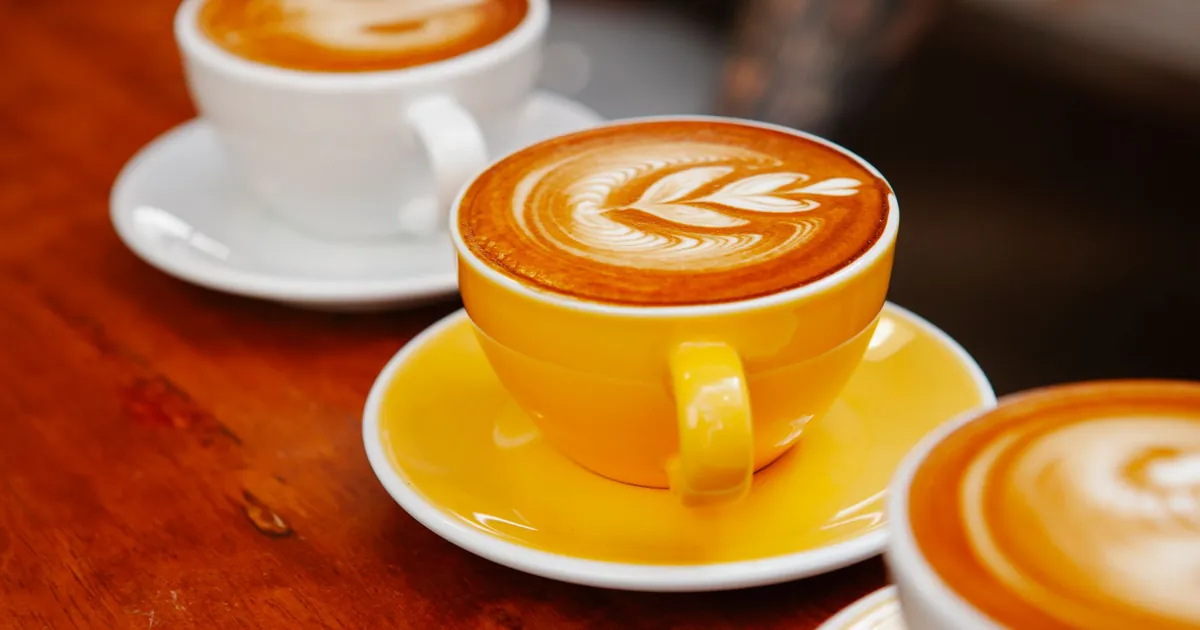
A coffee shop needs a POS that makes drink modifiers fast (size, milk, shots, syrups, temperature) with upcharges priced automatically, keeps the morning line moving, takes order-ahead orders without jamming the bar, and counts down the pastry case. A simple digital loyalty program and reliable receipt and label printing matter more here than table management ever will.
A café runs on short transactions at high volume. The busiest hour can decide the day, a single latte can carry five modifiers, and the line is visible from the door. A POS that adds a few seconds to each order can cost you the customers who see the line and leave. This guide covers what a café POS has to do and what to test.
Drink modifiers: a tree, not a list
Espresso drinks have the deepest modifier menus in food service. Build them as a tree in the order a barista thinks:
- Size
- Milk, including dairy-free options
- Extra shots or decaf
- Syrups and sweeteners
- Temperature and foam
- Toppings
That order is a sequence, so it can be taken as a sequence on screen: one tap per step, with sensible defaults, so a "large oat latte, extra shot" is four taps, not a hunt through menus.
- Upcharges priced by rule. A dairy-free milk or an extra shot should add its charge automatically, and the charge can differ by size.
- Drink labels. Printing a sticker per cup with the modifiers in a standard order keeps the handoff right when the bar is backed up.
- Favorites. Regulars order the same drink every day. A saved favorite on their loyalty profile, or a one-tap repeat, saves time.
A café charges $0.75 for oat milk on a small and $0.90 on a large, and $1.00 for an extra shot at any size. A large oat latte with an extra shot should add $1.90 without the barista calculating anything.
The morning line
- Put your top ten drinks on the first screen.
- Use tap-to-pay readers so payment takes a second.
- Set the tip prompt so it doesn't slow the line. Decide on the default choices before you go live, and make sure guests can skip it easily.
- Send drinks to the bar on a printed label or a bar screen the moment the order is paid, not when the cashier finishes the next order.
Order-ahead and mobile orders
Order-ahead moves part of the line onto phones. It also adds a second queue at the bar that can swamp it at 8 a.m. if nothing controls it.
- Pickup-time slots or a limit on orders per few minutes, so mobile orders don't flood the bar.
- The same modifiers online as at the counter, with the same prices.
- Pausing mobile ordering with one switch when the bar is overwhelmed.
- A pickup shelf and a text when the order is ready.
Several POS vendors include order-ahead. Square's online ordering page says customers can "order ahead for free in-person pickup … all without marketplace commissions." Card processing still applies to those orders.
Pastry case and display inventory
Baked goods are made in the morning and sold until they run out. Enter what went into the case at opening; the POS counts down as items sell and marks them sold out on the counter screen and online at the same time. End-of-day counts show what was thrown away, which tells you what to bake less of tomorrow.
Loyalty
A digital punch card ("buy nine, the tenth is free") tied to a phone number is the simplest program and the easiest for a guest to understand. Check that:
- Mobile orders earn and redeem the same as counter orders.
- The free drink can be limited, for example to any size of a standard drink but not to bags of beans.
- Redemptions show in reports as a discount, so you know what the program costs.
Counter hardware for a café
- A customer-facing screen for tipping and for showing the order, so guests can check the oat milk was rung up.
- A label printer at the bar, so every cup carries its modifiers.
- A card reader that takes tap and phone payments on the exact plan you're buying; not every bundle includes it. On Clover's restaurant pricing, for example, tap cards and wallets are listed as not included on the Starter bundle.
- A kitchen or bar display instead of a label printer, if you'd rather see drinks queued on a screen. Square's kitchen display app is $30 a month per device on Plus and $20 on Premium.
- A kiosk only if your line is long enough to justify it. Square's kiosk app is $50 a month per device on Plus and $30 on Premium.
Gift cards and catering trays
Gift cards sell well at cafés around holidays. Check that physical and digital gift cards work at the counter and online, and that balances show up in reports. If you sell coffee boxes or pastry trays for offices, you'll want orders taken days ahead with a pickup time and a prep list for the morning.
A sample café menu setup
Espresso drinks in four sizes, three milks with upcharges, two syrup choices at $0.75 each, an extra-shot button at $1.00, a "decaf" free modifier, and a pastry category with count-down inventory. Build exactly this in each demo and time how long a "large oat vanilla latte, extra shot" takes to ring up.
Printers and Wi-Fi
Many cafés use wireless receipt and label printers to keep the counter clean. Wireless printers drop off busy networks. Put printers on their own fixed network addresses or a separate network from guest Wi-Fi, and ask the vendor what happens to an order when a printer is offline: does it reprint automatically, or is it lost?
When the internet drops
Ask exactly what keeps working offline: ringing orders, printing labels, and taking cards. Vendors set offline card limits differently. Square says offline payments must be uploaded "within 24 hours (no later than 72 hours)", and Toast's offline article says the merchant is "responsible for any declined, expired, or disputed offline payment transactions". Set an offline limit per transaction you're comfortable losing.
Reports a café owner actually uses
- Sales by hour, to staff the morning rush and close the right time.
- Modifier sales, to see how many drinks carry a paid milk or extra shot.
- Pastry sold versus thrown away.
- Labor as a share of sales by day.
What to bring to the demo
- Your drink menu with every size, milk and syrup, and their prices.
- Your pastry case list.
- Your busiest hour's order count, and how many orders you'd want to allow online in that hour.
Then run the tests in how to choose a restaurant POS. If you're under 50 seats, the small restaurant guide covers keeping costs down.
Common questions
How should drink modifiers be set up?
As a sequence (size, milk, shots, syrups, temperature, toppings) with defaults and upcharges priced by rule, so a common drink takes a few taps.
Will mobile ordering swamp my bar?
It can at peak. Use pickup-time slots or a cap on orders per few minutes, and a switch to pause mobile ordering.
What loyalty program works for a café?
A digital punch card tied to a phone number is the simplest. Make sure mobile orders earn and redeem the same as counter orders.
Sources
- Square for Restaurants pricing, Square. Checked October 1, 2026.
- Clover restaurant pricing, Clover. Checked October 1, 2026.
- Square Online Ordering, Square. Checked October 1, 2026.
- Process card payments with offline mode, Square. Checked October 1, 2026.
- Using Toast in offline mode, Toast. Checked October 1, 2026.