POS for food trucks
Published by KwickPOS, a restaurant POS company. We include KwickPOS in comparisons and say so when we do. How we handle this.
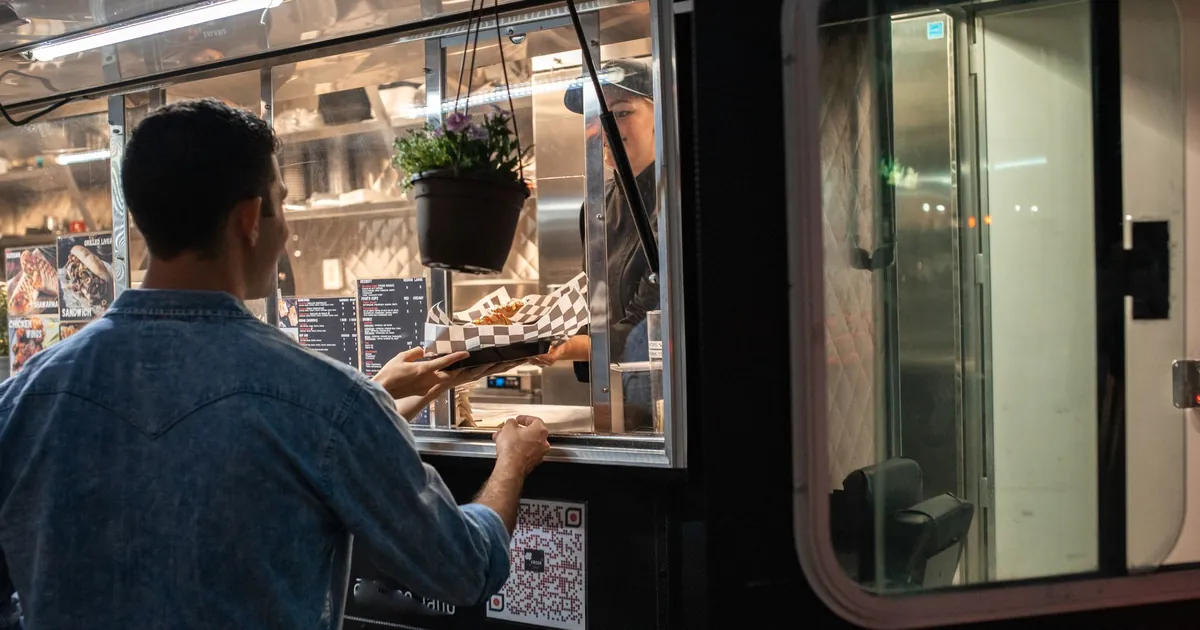
A food truck needs a POS that keeps taking orders and cards when the signal drops, runs on compact hardware with its own power and data, switches menus by location or event, and makes "sold out" one tap. Before you choose, read each vendor's offline payment rules: how long offline cards can wait, the limits you can set, and the fact that you carry the risk if an offline card is declined.
A food truck is a restaurant with no reliable internet, no fixed counter and a different crowd at every stop. A POS built for a dining room with fiber internet will let you down at a festival in a field. This guide covers what a truck needs and what to check in each vendor's documentation, not just its sales page.
Offline mode: read the rules, not the brochure
Cellular signal can be unreliable at events, where many people share the same towers. "Works offline" can mean very different things. Here is what three vendors' own documentation says, checked October 1, 2026:
| Vendor | What its documentation says about offline card payments |
|---|---|
| Square | Offline payments must be uploaded by reconnecting "within 24 hours (no later than 72 hours)". Offline payment settings are managed in the Square Dashboard. |
| Toast | "You are responsible for any declined, expired, or disputed offline payment transactions." |
| Clover | Its developer documentation says Clover Mini and Flex "are set to take offline payments for up to 7 days" by default, and merchants can disable offline payments or limit the amount. |
The pattern is the same everywhere: an offline card isn't approved until the device reconnects, and if it's declined then, the sale is yours to lose. Set a per-transaction offline limit you can live with, and reconnect as soon as you can after service.
In the demo, take an order on a phone hotspot, turn the hotspot off, take three more orders including a card, turn it back on and watch them sync.
Power, data and hardware
- Data. A cellular hotspot or a router with a SIM card, ideally from a different carrier than your phones, so you have a backup.
- Power. Battery-powered card readers and a tablet or handheld that lasts a full service. Bring a power bank or charge from the truck's supply.
- Screens you can read in sun. Bright screens or a shade over the window.
- Mounts. A secure tablet mount and a reader on a cable or stand, so nothing slides off when the truck moves.
- A small kitchen printer or screen, so the cook isn't reading orders over the cashier's shoulder.
Menus by location and event
A lunch stop downtown, a brewery night and a wedding need different menus and sometimes different prices. Set up a menu per stop or event type and switch with one tap. Sales tax can also differ by city and county; set the right rate for each location from your state's revenue department rather than guessing.
A short menu and the sold-out button
Trucks run short menus and run out of things. The POS should make marking an item sold out one tap, remove it from any online or QR menu at the same time, and let you see after the event what sold out and when, so you bring more next time.
Payments a truck should take
- Tap-to-pay cards and phone wallets, usually the quickest at a window.
- Chip and swipe as a fallback.
- Cash, with a quick drawer count at close.
- Pre-orders and pickup times for big events, so the line at the window is shorter.
Card processing rates vary by vendor and by how the card is taken. The card processing guide explains how they work.
Choosing the hardware
| Setup | What it is | Works well when |
|---|---|---|
| Tablet plus card reader | A tablet on a locking mount at the window and a separate card reader | One window, one cashier, and a cook who reads tickets from a small printer or screen |
| Handheld with built-in printer | An all-in-one device that takes orders, payments and prints receipts | You take orders in a line outside the truck, or you need to move |
| Fixed terminal | A countertop station like a restaurant's | A truck that parks in one place most days with steady power |
Vendors publish some of these prices. SpotOn lists its Station 10 at $415, its handheld at $297 and a wireless router at $300 on its Essentials plan, and Square's hardware starts at $59. Clover's Flex handheld, with an 8-hour battery and built-in printer, comes in its Standard restaurant bundle.
Keeping the connection up
- Primary: a cellular router or hotspot with a data plan sized for a full day of card payments and order syncing.
- Backup: a second carrier on a phone hotspot, so a crowded tower on one network doesn't stop you.
- Last resort: offline mode on the POS, with a per-transaction limit you're comfortable with.
Ask the vendor whether its devices can use cellular data directly and whether it sells a router. SpotOn's FAQ, for example, addresses whether you need a backup 4G router.
A checklist before each event
- Charge every device the night before, and pack the chargers.
- Switch to that event's menu and prices, and check the sales tax rate for that city or county.
- Sync the POS while you still have good signal, so the menu and settings are current.
- Test one card payment before the line forms.
- Set or check the offline limit.
- After the event, reconnect and confirm every offline payment went through.
Reports that help a truck
- Sales by location and event, to decide which stops are worth it.
- Sales by hour, to know when to arrive and when to pack up.
- Sold-out times, to bring more of what runs out.
- Payment mix, so you know how much cash to carry for change.
Catering and private events
Private events pay well and work differently: a fixed menu, a guest count, a deposit and often one invoice. Check that the POS can take a deposit at booking, price per person, and produce a prep list for the day.
What to bring to the demo
- Your menu for your busiest stop and for one event.
- Your phone's hotspot, to test offline in front of the vendor.
- The cities and counties you sell in, for sales tax.
Then run the tests in how to choose a restaurant POS, and compare costs in what a restaurant POS costs.
Common questions
Can a food truck POS take cards with no signal?
Many can, in an offline mode. The card isn't approved until the device reconnects, and if it is declined then, you usually carry the loss. Set a per-transaction offline limit.
What internet should a food truck use?
A cellular hotspot or a router with a SIM card, ideally with a second carrier as backup.
Does sales tax change by location?
It can, by city and county. Set each location's rate from your state revenue department's published rates.
Sources
- SpotOn pricing, SpotOn. Checked October 1, 2026.
- Square for Restaurants pricing, Square. Checked October 1, 2026.
- Clover restaurant pricing, Clover. Checked October 1, 2026.
- Process card payments with offline mode, Square. Checked October 1, 2026.
- Using Toast in offline mode, Toast. Checked October 1, 2026.
- Handling offline payments, Clover. Checked October 1, 2026.