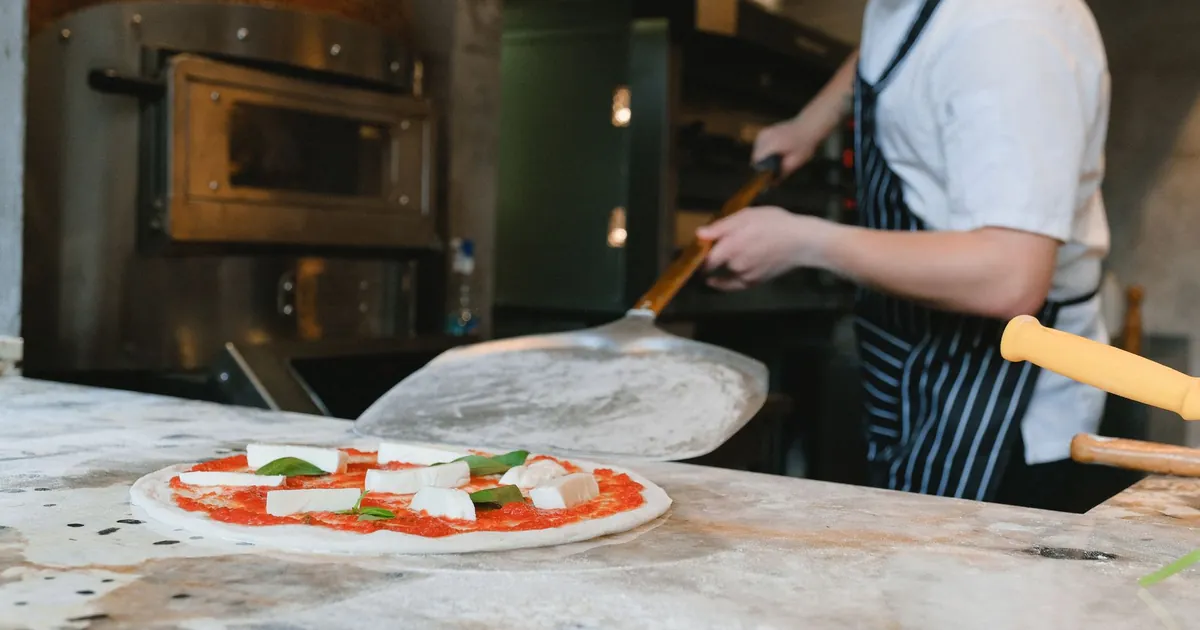
Running a pizzeria is operationally more complex than running most other restaurant formats. A single order can combine multiple sizes, crust types, sauces, a dozen potential toppings split across halves or quarters, a delivery address that needs to be validated against zone boundaries, and a driver who needs to be dispatched on a schedule. Multiply that by 60 to 200 tickets on a Friday night and you understand why pizza-specific POS software exists as its own category.
A generic point-of-sale system built for a bistro or a coffee shop will collapse under that complexity. It will either force staff to input orders incorrectly, create ambiguous kitchen tickets, or require expensive workarounds that slow down service. This guide covers every critical feature a pizzeria POS must have in 2026, how the major platforms stack up, and why the right choice can directly increase ticket size, delivery capacity, and customer retention.
Most restaurant POS systems are built around a simple item-plus-modifier model: you select a menu item, add optional modifiers, and close the ticket. That model works for a burger or a salad. It does not work for pizza, where modifiers interact with each other, pricing changes based on placement, and the same topping costs differently on a small versus an extra-large.
The core challenges that set pizzeria POS apart include:
Topping modifiers are the single most technically demanding feature in any pizza POS. Get this wrong and every ticket becomes a potential error, a re-make, or an angry customer.
Every topping should support at minimum four placement options: whole pizza, left half, right half, and no topping (to remove a default). Better systems also support quarter-pizza placement for specialty builds, and an "extra" flag that increases the amount used and adjusts the price accordingly.
The POS interface needs to make these options fast to select. A good implementation uses a visual pizza diagram on the order screen so the staff member taps the half they want, then taps the topping. This is dramatically faster than navigating text-based modifier sub-menus.
Topping prices must scale with pizza size. A common configuration looks like this:
| Pizza Size | Standard Topping | Premium Topping | Extra Topping |
|---|---|---|---|
| 10-inch Personal | $1.25 | $1.75 | $2.00 |
| 12-inch Small | $1.50 | $2.00 | $2.50 |
| 14-inch Medium | $1.75 | $2.50 | $3.00 |
| 16-inch Large | $2.00 | $3.00 | $3.75 |
| 18-inch XL | $2.50 | $3.75 | $4.75 |
The POS must apply this pricing matrix automatically when the operator selects a topping. No mental math, no separate price lookup. If a customer upsizes mid-order, the topping prices should recalculate instantly.
Specialty pies come with defined topping sets. A Margherita has tomato sauce, fresh mozzarella, and basil. The POS should load these defaults when the pie is selected and allow the customer to modify from that baseline. Removing a default topping should optionally reduce the price; adding toppings should trigger the correct pricing rules. Systems that require staff to manually enter every topping on every specialty pie are creating thousands of unnecessary keystrokes per week.
Half-and-half ordering is one of the most common requests in any pizza shop and one of the most poorly handled features in generic POS systems. The correct implementation treats each half of the pizza as a distinct order segment with its own topping list, its own specialty pie base, and its own pricing contribution.
When a customer orders a half Pepperoni / half Veggie Supreme on a 16-inch large, the POS should:
Some operators prefer a flat upcharge for any half-and-half combination rather than complex pricing logic. A good POS supports both models and lets the owner configure which approach to use from the back office without calling the software vendor.
The kitchen ticket for a half-and-half order must be absolutely clear. "L: Pepperoni / R: Veggie Supreme — add mushroom R-half" is unambiguous. "1x Large Pizza w/ pepperoni, tomato, mozzarella, basil, mushroom, olive, pepper" is a disaster waiting to happen. Any pizzeria POS that cannot format split-pizza tickets clearly should be disqualified immediately.
Many pizza shops — especially those with a walk-up counter, school lunch service, or food court presence — sell individual slices. Slice tracking is a feature that is entirely absent from most general-purpose POS systems but is critical for these operators.
At the start of each service period, staff log how many slices are available of each variety. The POS tracks that number and decrements it as slices are sold at the counter or rung through the kiosk. When a variety drops below a configurable threshold (say, two slices), the system can alert the team via the kitchen display or a sound alert so they can put another pie in the oven.
Over time, slice sales data reveals which varieties move fastest at which dayparts. A pizzeria that bakes 10 pies of margherita and only sells 6 before close is losing money on waste. Slice tracking reports that show variety velocity by hour let managers adjust prep quantities and dramatically reduce food cost. This is one of those features that pays for the entire POS system in the first month of use.
Delivery is where a significant portion of pizza revenue lives, and it is also where the most operational complexity accumulates. A good POS handles delivery from address entry through zone validation, fee calculation, drive-time estimation, and final driver assignment.
There are two main approaches to defining delivery zones in a pizza POS:
Polygon-based zone mapping is the superior approach for any shop doing significant delivery volume. It eliminates ambiguous edge cases at ZIP code boundaries and gives the operator precise control over where drivers are asked to go.
When a customer calls in or places an order online, the POS should validate the delivery address against zone boundaries in real time. If the address falls outside all delivery zones, the system should immediately notify the staff member so they can offer pickup instead of taking the order and discovering the problem later. This single feature eliminates a category of failed deliveries that damage customer relationships.
Once the address is validated, the delivery fee should populate automatically on the ticket based on which zone the address falls into. The customer should be quoted the fee before the order is finalized. Manual fee lookup is slow and error-prone, especially during rush periods when the phone is ringing every 90 seconds.
| Feature | ZIP Code Zones | Polygon Map Zones |
|---|---|---|
| Setup time | 15 minutes | 30-60 minutes |
| Boundary accuracy | Low (ZIP-level) | High (address-level) |
| Multi-tier fee support | Limited | Full support |
| Edge case handling | Manual workaround needed | Automatic |
| Recommended for | Low-volume shops | All serious delivery operations |
Dispatch is the real-time operational layer that sits on top of zone management. A good dispatch module shows all open delivery tickets on a single screen, displays which drivers are available and where they are (via GPS integration), and suggests the most efficient assignment.
The dispatch view in a pizzeria POS should show, at a minimum:
With this information visible at a glance, the dispatcher can batch deliveries (assigning two or three nearby addresses to one driver), avoid overloading the same driver twice in a row, and give accurate ETAs to customers who call asking about their order.
Route optimization is the difference between a driver delivering three orders in 35 minutes versus 55 minutes. Some advanced POS platforms include built-in route suggestion that sequences multi-stop deliveries by address proximity. Others integrate with third-party routing APIs. Either approach is valid; what matters is that the dispatcher is not manually calculating routes on a separate app while managing the phone and the counter at the same time.
At the end of each shift, the POS should generate a driver cash-out report showing every order delivered, whether it was paid by card or cash, the delivery fees collected, and the tips earned. This reconciliation prevents discrepancies and gives the owner clean records without manual calculation.
By 2026, most independent pizzerias generate 40 to 65 percent of their revenue through digital channels: their own website, branded apps, and third-party aggregators. A POS that does not handle online ordering natively — or that requires manual re-entry of online orders — is a competitive liability.
There are two categories of online ordering a pizzeria deals with simultaneously:
The practical recommendation: invest in a POS that includes a first-party online ordering module so your own website orders never touch a tablet or a manual process. Then use an aggregator middleware tool (or a built-in one if your POS offers it) to pull third-party orders into the same queue. The kitchen should never have to look at three different tablets to know what to make next.
Maintaining separate menus for in-store, website, and aggregator platforms is one of the most common sources of errors and wasted management time in pizza operations. The right POS maintains a single master menu that pushes updates to all channels simultaneously. When you 86 an item, raise a price, or add a seasonal specialty, that change goes everywhere with one save.
Online ordering without volume controls is a recipe for a kitchen collapse on Friday nights. Order throttling lets the operator set a maximum number of orders accepted per time window (for example, no more than 12 online orders per 15-minute slot). When the threshold is hit, customers ordering online see longer estimated wait times rather than an order queue that overwhelms the kitchen. This feature protects quality and prevents driver pile-ups at the counter.
A kitchen display system (KDS) at a pizzeria serves a different purpose than at a table-service restaurant. Pizza production is a linear process: order intake, make station, oven, cut and box, dispatch. Each stage needs visibility into the right information at the right time.
The make station needs to see the full topping build for each pizza, sorted by oven urgency. The oven operator needs to see which pies are in the oven, their size, and their target finish time. The cut-and-box station needs to see order details and whether the pie is dine-in, pickup, or delivery. The dispatch counter needs to see which bags are ready for which driver.
A well-configured KDS sends each ticket to the correct screen automatically based on order type and station role. Staff at the make station do not see delivery driver assignments. The dispatch counter does not see raw ingredient lists. Filtering information by station role reduces cognitive load and speeds up every stage of production.
Pizza shops move fast. A touchscreen KDS works well at some stations but a physical bump bar — a row of buttons next to the display — is faster when staff have flour-covered hands. The best KDS solutions for pizzerias support both input methods. Built-in timers that flash or change color when a ticket exceeds its target production window keep the team accountable without a manager having to watch every screen.
Delivery orders need to be ready before the driver leaves, which means they should jump the queue over dine-in orders that have a few extra minutes of table time. A smart KDS prioritizes tickets based on order type and promised delivery window, not just the order in which they arrived. This prevents the common failure mode where a delivery order that came in second gets made last because the system processes everything in chronological order.
Pizza is a high-frequency purchase. The average loyal pizza customer orders 2 to 3 times per month. A well-designed loyalty program converts occasional buyers into regulars and increases average ticket size through targeted reward structures.
There are two dominant loyalty models for pizzerias:
Points-on-spend is generally more valuable for operators because it scales revenue with reward cost. A customer who consistently orders family meal deals earns rewards faster but also generates more gross revenue per redemption cycle.
The loyalty program must be built into or deeply integrated with the POS. Customers should be able to identify themselves by phone number at the counter or by account login online. Their points balance should display on the order screen so the cashier can mention it. Redemptions should apply automatically without the cashier needing to manually enter discount codes. Anything that slows down the checkout interaction reduces the program's perceived value.
A POS with CRM capabilities can segment loyalty customers by purchase behavior and send targeted promotions. Customers who have not ordered in 30 days get a win-back offer. Customers who always order on Friday get an early-week promotion to spread demand. Customers who have never ordered online get a first-delivery incentive. These campaigns are run from the back office and generate measurable lift in revenue without requiring a dedicated marketing team.
A family-owned pizza group with three locations switched from a generic POS to a pizza-specific system in early 2025. Within 90 days, average order accuracy improved from 91% to 98.4%, the most common error being topping placement mistakes that were eliminated by the visual half-pizza modifier interface. Delivery capacity increased by 22% without hiring additional drivers, because the route batching feature allowed dispatchers to combine nearby drops efficiently. The loyalty program, launched simultaneously with the new POS, added 1,400 enrolled customers in the first 60 days. Those customers spent an average of 18% more per order than non-enrolled customers and ordered 2.4 times per month versus 1.1 times for the control group.
| Feature | KwickOS | SpeedLine | PDQ POS | Lightspeed Restaurant |
|---|---|---|---|---|
| Visual half-pizza modifier | Yes | Yes | Yes | Partial |
| Size-based topping pricing | Yes | Yes | Yes | Manual workaround |
| Quarter-pizza placement | Yes | Yes | No | No |
| Polygon delivery zones | Yes | Yes | ZIP only | No |
| GPS driver tracking | Yes | Yes | No | No |
| Route optimization | Yes | Third-party | No | No |
| Built-in online ordering | Yes | Yes | Add-on | Add-on |
| Aggregator integration | Yes | Limited | Yes | Yes |
| Slice tracking | Yes | Yes | No | No |
| Station-routed KDS | Yes | Yes | Yes | Yes |
| Built-in loyalty program | Yes | Add-on | Add-on | Add-on |
| Offline operation | Full offline | Partial | Partial | Limited |
| Monthly software cost | From $89/mo | From $149/mo | From $129/mo | From $189/mo |
KwickOS was designed from the ground up to handle the full complexity of food service operations, including the specific workflows that make pizza different from every other restaurant category. The topping modifier engine supports whole, half, quarter, and extra placement with visual pizza diagram input on the order screen. Size-based pricing matrices are configured once in the back office and apply automatically across all order channels.
The delivery module uses polygon-based zone mapping and includes GPS driver tracking, route batching, and automated fee calculation. Operators have reported cutting average delivery time by 8 to 12 minutes per run after switching to KwickOS dispatch from manual systems. The built-in online ordering module handles direct website orders with zero per-order commission and pushes the same menu and pricing to aggregator integrations automatically.
One feature that consistently surprises new KwickOS users is its offline capability. Pizza shops — especially in suburban and strip-mall locations — face internet outages. KwickOS continues processing orders, printing tickets, and routing to kitchen displays without any internet connection. When connectivity is restored, all transactions sync. This eliminates the scenario where a busy Friday night gets derailed by an ISP issue.
For multi-location pizza groups, the centralized menu management and reporting dashboard make KwickOS particularly compelling. A change made at corporate headquarters pushes to every location's menu and online ordering channels simultaneously. Sales reports, driver performance, slice velocity, and loyalty enrollment all roll up to a single view.
Schedule a live demo and see how KwickOS handles topping modifiers, delivery dispatch, and online ordering for your pizza operation.
Start Free Trial →The single most common cause of a rough POS launch in a pizza shop is an incomplete modifier library. Before your go-live date, build out every topping with its correct placement options, pricing by size, and premium classification. Test every specialty pie build to confirm the default toppings load correctly and that adding or removing items prices correctly. A thorough pre-launch menu audit takes 3 to 5 hours but prevents weeks of correction tickets after the system goes live.
Pull up a satellite map of your city and draw your zones carefully. Pay attention to natural boundaries — highways, rivers, commercial districts — that create sensible delivery borders. Define your fee tiers before you draw the zones so you can align polygon boundaries with the fee structure you want. Test several edge-case addresses after configuration to confirm zone assignment and fee calculation are correct.
Counter staff and dispatch staff need different training tracks. The counter team needs to be fast with modifier entry, half-pizza builds, and upsell prompts. The dispatch team needs to understand the zone map, know how to batch deliveries, and be able to use the driver GPS view to make good assignment decisions. Mixing these training sessions together creates confusion. Run them separately and allow each role to practice in a test environment before the first live shift.
Do not wait until your first busy Friday night to discover your online ordering volume exceeds kitchen capacity. Before you launch online ordering on your new POS, talk to your kitchen team about realistic maximum output. How many pizzas can the oven produce per 15-minute window at full staffing? Set your online order throttle to 70 to 80 percent of that number to preserve some buffer for walk-in and phone orders. Adjust the thresholds after two to three weekends of data.
The fastest way to build initial loyalty enrollment is a founding member promotion: for the first 30 days after launch, every customer who signs up gets a double-points bonus or a free topping on their next order. Promote it on receipts, at the counter, and on your online ordering confirmation page. Starting with a meaningful enrollment base makes the data useful faster and gets customers into the habit of identifying themselves at checkout.
Understanding total cost of ownership helps operators avoid surprises after signing a contract. Here is a realistic breakdown for a single-location pizza shop:
| Cost Category | Typical Range | Notes |
|---|---|---|
| POS software (monthly) | $89 – $249 | Pizza-specific features at the higher end |
| Order terminal hardware | $800 – $1,800 | Per station; includes stand and card reader |
| Kitchen display system | $400 – $900 | Per screen; bump bar adds $150 – $300 |
| Label printer (cut station) | $200 – $400 | Optional but recommended for delivery |
| Receipt printer | $150 – $350 | Per station |
| Online ordering module | $0 – $79/mo | Included in some platforms; add-on in others |
| Loyalty program module | $0 – $49/mo | Included in some platforms; add-on in others |
| Payment processing | 2.3% – 2.9% + $0.10 | Per transaction; negotiate volume rates |
| Installation and training | $0 – $500 | Many vendors now offer remote setup |
For a single-location shop doing $600,000 in annual revenue, a well-configured pizza POS typically represents 1.8 to 2.4 percent of gross revenue in total technology cost including processing fees. Operations that switch from high-commission third-party ordering to a first-party online ordering module frequently offset this cost entirely through commission savings within the first six months.
Use this checklist when evaluating vendors. A vendor that hesitates or cannot answer clearly is flagging a limitation in their system:
The decision ultimately comes down to matching features to your operational model. A New York-style slice shop with high walk-in volume and minimal delivery needs a different configuration than a suburban family pizzeria doing 60 percent of revenue through online delivery orders. A quick-service pizza counter in a food hall has different KDS needs than a sit-down pizzeria with table service.
That said, the baseline requirements outlined in this guide apply to all pizza operations: proper modifier logic, clear kitchen tickets, and menu synchronization across channels. Every pizza shop that accepts delivery orders needs delivery zone management and driver dispatch. Every shop with a loyalty program needs that program integrated at the POS, not running on a separate stamp card.
For operators who want a single platform that handles the full stack of pizza-specific requirements without third-party add-ons for delivery, online ordering, or loyalty, KwickOS is the most comprehensive option at its price point in 2026. Operators evaluating enterprise platforms with large legacy footprints will also find SpeedLine and PDQ POS worth demoing, particularly if they are replacing an existing system of that type. Lightspeed is a capable general-purpose restaurant POS but requires significant workarounds to match the native pizza functionality of purpose-built platforms.
Whichever system you select, budget time for a thorough pre-launch configuration, insist on hands-on training for both counter and dispatch roles, and run a parallel period of at least two service days before cutting over completely. The pizza business is too fast-paced to discover system configuration errors during a live rush.
Independent POS system reviews covering 15+ brands:
Visit POSReview.us — Honest POS reviews since 2020
Tell us about your restaurant. We call you within 2 hours.
Or call us directly: (888) 355-6996